Wednesday, 25 May 2011

recession In india


RECESSION
The fear of a recession looms over the United States. And as the cliche goes, whenever the US sneezes, the world catches a cold. This is evident from the way the Indian markets crashed taking a cue from a probable recession in the US and a global economic slowdown.
Weakening of the American economy is bad news, not just for India [ Images ], but for the rest of the world too.
what is a recession?
A recession is a decline in a country's gross domestic product (GDP) growth for two or more consecutive quarters of a year. A recession is also preceded by several quarters of slowing down.
What causes it?
An economy which grows over a period of time tends to slow down the growth as a part of the normal economic cycle. An economy typically expands for 6-10 years and tends to go into a recession for about six months to 2 years.
A recession normally takes place when consumers lose confidence in the growth of the economy and spend less.
This leads to a decreased demand for goods and services, which in turn leads to a decrease in production, lay-offs and a sharp rise in unemployment.
Investors spend less as they fear stocks values will fall and thus stock markets fall on negative sentiment.
Stock markets & recession
The economy and the stock market are closely related. The stock markets reflect the buoyancy of the economy. In the US, a recession is yet to be declared by the Bureau of Economic Analysis, but investors are a worried lot. The Indian stock markets also crashed due to a slowdown in the US economy.
The Sensex crashed by nearly 13 per cent in just two trading sessions in January. The markets bounced back after the US Fed cut interest rates. However, stock prices are now at a low ebb in India with little cheer coming to investors.
Current crisis in the US
The defaults on sub-prime mortgages (homeloan defaults) have led to a major crisis in the US. Sub-prime is a high risk debt offered to people with poor credit worthiness or unstable incomes. Major banks have landed in trouble after people could not pay back loans (See: Subprime pain: Who lost how much)
The housing market soared on the back of easy availability of loans. The realty sector boomed but could not sustain the momentum for long, and it collapsed under the gargantuan weight of crippling loan defaults. Foreclosures spread like wildfire putting the US economy on shaky ground. This, coupled with rising oil prices at $100 a barrel, slowed down the growth of the economy.
How to fight recession
Tax cuts are the first step that a government fighting recessionary trends or a full-fledged recession proposes to do. In the current case, the Bush government has proposed a $150-billion bailout package in tax cuts.
The government also hikes its spending to create more jobs and boost the manufacturing and services sectors and to prop up the economy. The government also takes steps to help the private sector come out of the crisis.
Past recessions
The US economy has suffered 10 recessions since the end of World War II. The Great Depression in the United was an economic slowdown, from 1930 to 1939. It was a decade of high unemployment, low profits, low prices of goods, and high poverty.
The trade market was brought to a standstill, which consequently affected the world markets in the 1930s. Industries that suffered the most included agriculture, mining, and logging.
In 1937, the American economy unexpectedly fell, lasting through most of 1938. Production declined sharply, as did profits and employment. Unemployment jumped from 14.3 per cent in 1937 to 19.0 per cent in 1938.
The US saw a recession during 1982-83 due to a tight monetary policy to control inflation and sharp correction to overproduction of the previous decade. This was followed by Black Monday in October 1987, when a stock market collapse saw the Dow Jones Industrial Average plunge by 22.6 per cent affecting the lives of millions of Americans.
The early 1990s saw a collapse of junk bonds and a financial crisis.
The US saw one of its biggest recessions in 2001, ending ten years of growth, the longest expansion on record.
From March to November 2001, employment dropped by almost 1.7 million. In the 1990-91 recession, the GDP fell 1.5 per cent from its peak in the second quarter of 1990. The 2001 recession saw a 0.6 per cent decline from the peak in the fourth quarter of 2000.
The dot-com burst hit the US economy and many developing countries as well. The economy also suffered after the 9/11 attacks. In 2001, investors' wealth dwindled as technology stock prices crashed.
Impact of a US recession on India
A slowdown in the US economy is bad news for India.
Indian companies have major outsourcing deals from the US. India's exports to the US have also grown substantially over the years. The India economy is likely to lose between 1 to 2 percentage points in GDP growth in the next fiscal year. Indian companies with big tickets deals in the US would see their profit margins shrinking.
The worries for exporters will grow as rupee strengthens further against the dollar. But experts note that the long-term prospects for India are stable. A weak dollar could bring more foreign money to Indian markets. Oil may get cheaper brining down inflation. A recession could bring down oil prices to $70.
Between January 2001 and December 2002, the Dow Jones Industrial Average went down by 22.7 per cent, while the Sensex fell by 14.6 per cent. If the fall from the record highs reached is taken, the DJIA was down 30 per cent in December 2002 from the highs it hit in January 2000. In contrast, the Sensex was down 45 per cent.
The whole of Asia would be hit by a recession as it depends on the US economy
                             PROFESSIONALISM

PROFESSIONALISM one of the most common word we use in current scenario.
asked with alot of people but unfortunatley no one was able to give satisfactory answere. People say getting salary in cheque or bank, working on latest technolgies or sitting in hi tech office is professionalism but I am not satisfied.
What is Professionalism:-
According to me adding on to what dhamis' said. Professionalism is balancing the personnel and professional life. Professionlism means to be practical in life.One who has skills, knowledge and attitude & uses them is called a professional. The attitude which a professional shows is called as professionalism.
A very general, raw idea of professionalism is a bundle of the following concepts: a focussed approach, pride in what one is doing, confident, competent, motivation towards a particular goal, accountability, respect for people irrespective of rank, status and gender, responsibility while on the path to a particular goal, commitment to word and deed, control of emotions - well, you are beginning to get the idea now.
Basically it all boils down to where you leave out emotional upheavals and stay focussed on the issue no matter what the issue is or how stressful and trying a situation turns out to be.
Cool as a cucumber, grace under pressure, while keeping the total focus on what one is supposed to be doing and accomplishing.
You will be exhibiting professionalism if you:
Base business related interactions to facts, figures and purely on the logic and understanding of the situation at hand.
Do not get carried away by the passion of the moment.
Emotions vary by individual sensibilities and of course, cultures.
so stay focussed and keep bringing the person gently back on the issues. Otherwise you will lose complete control over yourself and the situation.
A business interaction has a purpose and a goal. An excessive amount of jocularity of "kidding around'' will be seen as flippant.
That does not mean that you pack up your natural sense of humour. Be mindful of when you are crossing the line. There is a tasteful limit to everything.
The ideal is a combination of light humour, where and when appropriate with a complete seriousness to moving towards the goal that is demanded of the interaction.
Understand your "corporate culture'' and function within its parameters.
Every business must set forth, not only to develop its own identity but also make sure that it is understood and translated in behaviour by the employees.
All the corporate policies otherwise will remain just that, policies on paper.
Understand how to treat superiors, peers and subordinates with the utmost courtesy and in the proper accepted norms.
That will differentiate you from the rest by giving the cutting edge advantage.

More than your technical expertise and academic accomplishments you will be remembered and admired for your strict codes of conduct in your interactions.
Accept the fact that you are there to accomplish a definite task and that should be done with complete integrity, commitment and pride in your job.
This is just the raw data to get you started. The whole concept of professionalism can be very confusing with so many concepts going into it.
It is not something that is measured in any test where you are given scores. It is there in a very subtle way making a statement about you and others are constantly taking down notes on you. For starters, stick with all the ideas given here and you should be able to survive any professional situation with great professionalism
Few thing to remember the professionalisim:-

a) Professionalism is anything done with lot of common sense. Professionalism starts with common sense.

b) Professionalism is something that is done with end result in mind. If you look back, at 20% of our time is just wasted because we are not certain what to do with the outcome of that activity.

c) Professionalism is something that is done with lot of planning. (how many HR professionals read CV of the candidate before calling the candidate for interview? Are the CV-specific questions kept ready? Not many times.)


Tuesday, 24 May 2011

Bluetooth technology

BLUETOOTH TECHNOLOGY

Introduction
Bluetooth is a specification for Wireless Personal Area. It is a way to connect and exchange information and data between mobile phones, laptops, digital cameras and video games. The communication is wireless and has the range of up to 10 meters.
The Bluetooth can connect with another Bluetooth. The data need not be carried on a CD or any other way it can be transferred by using a wireless method.
The Bluetooth enables to surf the net or check the emails on phones as travel. It is good for people who are always on the move and would like to keep checking their emails.
Bluetooth will also enables to transfer files, photos, and songs from the mobile to other device. The Bluetooth comes in with a wireless headsets and it comes in free with the mobile phone or computer, the wireless headset also useful for people who like to be on the go or while driving the car, as they are hands free.

The Bluetooth can be attached to  GPS system for navigation on mobile phones or laptops for making travel easy.

Some of the Most Common Bluetooth Products

Now-a-days Bluetooth technology has become the standard when talking about connecting various devices with each other, allowing tasks like data transfer to successfully work out, wirelessly.

             Poetically named after King Harald Bluetooth of Denmark and Norway, Bluetooth technology unites all sorts of products through the utilization of low power radio signals, on a 2.45 gigahertz frequency, which is actually between 2.402 gigahertz and 2.480 gigahertz radio frequency band. King Harald, whose reign came in the late tenth century, is quite famous for uniting the warring tribes of Denmark during his time as King, defining the poetic nature of the Bluetooth name.
           
With the ever rising popularity of Bluetooth technology, caused by its impressive universality as a means for devices  to  connect  with  each other and its
wireless nature, it really isn’t a wonder why many Bluetooth products abound the electronic device market.
Here are two of the most popular, and most common, of Bluetooth products available for one and all.

          These Bluetooth products could be easily defined as the wireless class of the hands free kits, which comes in packaged with most mobile phone brands. Hands free kits for mobile phones allow mobile phone users to take calls without having to physically put the phone to ones ear, giving users the ability to do other things while talking.
       
  As with all Bluetooth products, Bluetooth Headsets for Mobile Phones are wireless and could be easily connected with ones bluetooth enabled mobile phone, easy as one, two and three. This selfsame wireless nature makes Bluetooth Headsets for mobile phones convenient hands free kits, outperforming them in this aspect.
 Bluetooth Headsets for Mobile Phones are among the most popular of bluetooth products simply because they are great accessories to have, complementary to Mobile phones, which are items most persons have, these days. And they are wireless too.
         
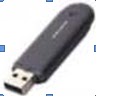
          As Bluetooth products, Bluetooth Dongles or Bluetooth Adapters give personal computers which dont come with integrated Bluetooth capabilities the chance to connect with other Bluetooth items. They are basically Bluetooth products which work in conjunction with a computer program, giving non-Bluetooth computers the avenue for Bluetooth connections.
Because of their appearance, Bluetooth Dongles or Bluetooth Adapters are often mistaken for USB Portable Flash Disks, which are basically popular portable storage devices used by many. They do not, in any way, work as Flash Disks, but rather boast same physical appearance as items.
 I
t has two most popular Bluetooth products out in the market today. There are actually more Bluetooth products out there. These two simply represent the most top selling of Bluetooth products, which stands testament to the importance of Bluetooth technology in gadgets today.

How Bluetooth Works


            Bluetooth devices will normally operate at 2.4 GHZ in the license free, globally available Industrial Scientific and Medical (ISM) radio band. The advantage to this band includes worldwide availability and compatibility. A disadvantage to this however, is that the devices must share this band with other RF emitters. This includes automobile security systems, other wireless devices, and other noise sources, such as microwaves.

          To overcome this challenge, Bluetooth employs a fast frequency hopping scheme and therefore uses shorter packets than other standards within the ISM band.
This scheme helps to make Bluetooth communication more robust and more secure.
Frequency hopping

          Frequency hopping is basically jumping from frequency to frequency within the ISM radio band after a Bluetooth device sends or receives a packet, and the devices (or devices) it’s communicating with hop to another frequency before the next packet is sent.

This scheme offers three advantages

1. Allows Bluetooth devices to use the entirety of the available ISM band, while never transmitting from a fixed frequency for more than a short period of time. This helps insure that Bluetooth conforms to the ISM restrictions on the transmission quantity per frequency.

2. Ensures that any interference won't last long. Any packet that doesn't arrive safely to its destination can be resent to the next frequency.

3. Provides a base level security as it's very hard for an eavesdropping device to predict which frequency the Bluetooth devices use next.
          The connected devices however, must agree upon the frequency they will use next. The specification in Bluetooth ensures this in two ways. First, it defines a master and slave type relationship between Bluetooth devices. Next, it specifies an algorithm that uses device specific information when calculating the frequency hop sequences.
          A Bluetooth device that operates in master mode can communicate with up to seven devices that are set in slave mode. To each of the slaves, the master Bluetooth device will send its own unique address and the value of its own internal clock. The information sent is then used to calculate the frequency hop sequences.

          Because the master device and each of the slave devices use the same algorithm with the same initial input, the connected devices will always arrive together at the next frequency that they have agreed upon.

          As a replacement for cable technology, it's no wonder that Bluetooth devices are usually battery powered, such as wireless mice and battery powered cell phones. To conserve the power, most devices operate in low power. This helps to give Bluetooth devices a range of around 5 - 10 meters.

          This range is far enough for wireless communication but close enough to avoid drawing too much power from the power source of the device.
Technical Overview of Bluetooth Technology
          Bluetooth wireless technology is an open specification for a wireless personal area network (PAN). It provides limited range wireless connectivity for voice and data transmissions between information appliances. Bluetooth wireless technology eliminates the need for interconnecting cables. Unique for most wireless communications systems, Bluetooth enables ad hoc networking among devices, without the need for infrastructure such as base stations or access points.
          Bluetooth, in its most elementary form, is defined as a global specification for wireless connectivity. Because it is intended to replace cables, cost must be low and operation must be intuitive and robust. These requirements for Bluetooth create many challenges. Bluetooth meets these challenges by several means. The radio unit employs frequency hopping spread spectrum (FHSS), and the design emphasis is on very low power, extremely low cost, and robust operation in the uncoordinated, interference-dominated RF environment of the industrial, scientific, and medical (ISM) radio band.
          A wide variety of Bluetooth radio block diagrams are in use. For transmission, these range from direct voltage controlled oscillator (VCO) modulation to IQ mixing at the final radio frequency (RF.) In the receiver, a conventional frequency discriminator or IQ down-conversion combined with analog-to-digital conversion is noted.
          While many options can satisfy the Bluetooth radio specifications, each will have its own characteristics if not operating correctly. The Bluetooth system consists of a radio unit, a baseband link control unit, and link management software. It also includes higher-level software utilities that focus on interoperability features and functionality.


        The above Figure is a block diagram for this type of frequency hopping system, showing the baseband controller and the RF transmitter and receiver sections. EDR is an enhancement to the Bluetooth 1.2 standard and is described in the Bluetooth 2.0 specification. It is backward compatible with the earlier Bluetooth standards. It uses a phase shift keying (PSK) modulation scheme to achieve a data rate of 2 or 3 Mb/s. It allows greater possibilities for using multiple devices on the same connection because of the increased bandwidth. Due to EDR having a reduced duty cycle, there is lower power consumption compared to a standard Bluetooth link.
1.  Bluetooth Devices are Wireless.
          There are tons of advantages/benefits when using wireless devices. In addition to improving safety as a result of eliminating the clutter of wires and associated hazardous connections, wireless technology also offers many convenient advantages. For example, when traveling with the laptop, PDA, MP3 player and other devices, there is no worry about bringing   along  all  of  connecting  cables.
2.  Bluetooth Technology is Inexpensive.
          Bluetooth technology is cheap for companies to implement, which results in lower over-all manufacturing costs. These savings are then passed on to the consumer. The end result is Bluetooth devices are relatively inexpensive.
3.  Bluetooth is Automatic.
          Bluetooth doesn’t think about setting up a connection or to push any buttons. When two or more Bluetooth devices enter a range (Up to 30 feet) of one another, they automatically begin to communicate without having to do anything. Once the communication begins, Bluetooth devices will setup Personal Area Networks or Piconets. . 
4. Standardized Protocol / Interoperability
          Since Bluetooth is a standardized wireless specification, a high level of compatibility among devices is guaranteed. The Bluetooth specification uses and defines various profiles. Every Bluetooth profile is specific to a particular function. For instance, when a Bluetooth enabled cell phone and a Bluetooth headset (Both with the same profile) are communicating with one another, both will understand each other without the user having to do anything, even if the devices are of different models/makes.
5. Low Interference 
          Bluetooth devices avoid interference with other wireless devices by:
a) Using a technique known as spread-spectrum frequency hopping.
b) Using low power wireless signals.
6. Low Energy Consumption
          Bluetooth uses low power signals. As a result, the technology requires little energy and will therefore use less battery or electrical power. Obviously, this is a great benefit for mobile devices because Bluetooth won't drain the life of device's battery.
7. Share Voice and Data
          The Bluetooth standard allows compatible devices to share both voice and data communications. For example, it is probably no surprise that a Bluetooth enabled cell phone is capable of sharing voice communications with a compatible Bluetooth headset. Then, using Bluetooth the phone can connect to a laptop. At the end the laptop is capable of surfing the web or sending and receiving email.
8. Instant Personal Area Network (PAN)
          Up to seven compatible Bluetooth devices can connect to one another within approximity of up to 30 feet, forming a PAN or piconet. Multiple piconets can be automatically setup for a single room.
9. Upgradeable
The Bluetooth standard is upgradeable. A development group at the Bluetooth Special Interest Group (SIG) has been given the task of working on the new Bluetooth version 2, which offers several new advantages and is backward compatible with the older versions.


Thursday, 19 May 2011

IAMR GOUP OF INSTITUTIONS

Cloud Computing


What is Cloud Computing?

Cloud computing is an umbrella term used to refer to Internet based development and services. The cloud is a metaphor for the Internet. A number of characteristics define cloud data, applications services and infrastructure:
·      Remotely hosted: Services or data are hosted on someone else’s infrastructure.
·      Ubiquitous: Services or data are available from anywhere.
·      Commodified: The result is a utility computing model similar to traditional that of traditional utilities, like gas and electricity. You pay for what you would like.

Software as a Service (SaaS)

SaaS is a model of software deployment where an application is hosted as a service provided to customers across the Internet. SaaS is generally used to refer to business software rather than consumer software, which falls under Web 2.0. By removing the need to install and run an application on a user’s own computer it is seen as a way for businesses to get the same benefits as commercial software with smaller cost outlay. Saas also alleviates the burden of software maintenance and support but users relinquish control over software versions and requirements. They other terms that are used in this sphere include Platform as a Service (PaaS) and Infrastructure as a Service (IaaS).

Cloud Storage

Several large Web companies (such as Amazon and Google) are now exploiting the fact that they have data storage capacity which can be hired out to others. This approach, known as ‘cloud storage’ allows data stored remotely to be temporarily cached on desktop computers, mobile phones or other Internet-linked devices. Amazon’s Elastic Compute Cloud (EC2) and Simple Storage Solution (S3) are well known examples.

Data Cloud

Opportunities

The use of the cloud provides a number of opportunities:
·      It enables services to be used without any understanding of their infrastructure.
·      Cloud computing works using economies of scale. It lowers the outlay expense for start up companies, as they would no longer need to buy their own software or servers. Cost would be by on-demand pricing. Vendors and Service providers claim costs by establishing an ongoing revenue stream.
·      Data and services are stored remotely but accessible from ‘anywhere’.
          In parallel there has been backlash against cloud computing:
·      Use of cloud computing means dependence on others and that could possibly limit flexibility and innovation. The ‘others’ are likely become the bigger Internet companies like Google and IBM who may monopolise the market. Some argue that this use of supercomputers is a return to the time of mainframe computing that the PC was a reaction against.
·      Security could prove to be a big issue. It is still unclear how safe outsourced data is and when using these services ownership of data is not always clear.
·      There are also issues relating to policy and access. If your data is stored abroad whose FOI policy do you adhere to? What happens if the remote server goes down? How will you then access files? There have been cases of users being locked out of accounts and losing access to data.

HOW Cloud computing is used in education:-

Microsoft cloud computing gives better choice and flexibility to education IT departments. The platform and applications you use can be on premises, off premises, or a combination of both, depending on your academic organization’s needs

Key benefits

The advantages that come with cloud computing can help you resolve some of the common challenges you might have while supporting your education institution.
·         Cost. You choose a subscription or, in some cases, a pay-as-you-go plan—whichever works best with your organization’s business model.
·         Flexibility. Scale your infrastructure to maximize investments. Cloud computing allows you to dynamically scale as demands fluctuate.
·         Accessibility. Help make data and services publicly available without jeopardizing sensitive information.

The Future

Many of the activities loosely grouped together under cloud computing have already been happening and centralised computing activity is not a new phenomena: Grid Computing was the last research-led centralised approach. However there are concerns that the mainstream adoption of cloud computing could cause many problems for users. Whether these worries are grounded or not has yet to be seen.